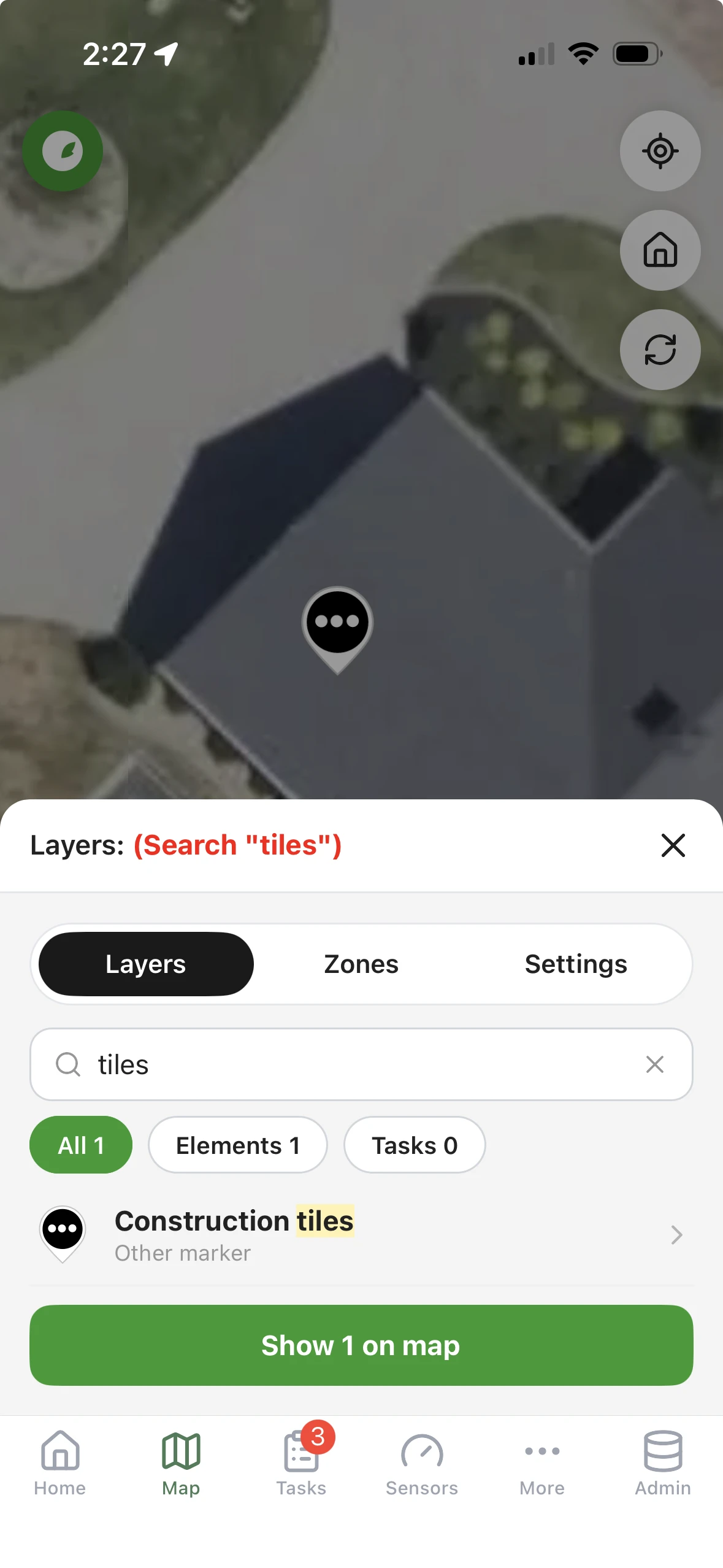
We just added the ability to search on the map. Open Map options and you will find a search box at the top of the Layers tab.
What it does:
- Type two or more letters and it searches the description, label and address of every marker, line and area on the property, plus every task. Upper or lower case does not matter.
- Chips let you narrow the results to All, Elements or Tasks.
- Tap a result and the map jumps to it and opens its details. A task with no location opens in the Tasks tab instead.
- Tap Show on map and the map keeps only the matches. The bar reads Layers: (Search “valve”) with a Clear button to bring everything back.
- Closed tasks that match show dimmed, so you can also find work that was already done.
It is live now on the web app and on the iOS and Android apps. On your phone, close and reopen the app twice to pick up the update.